Security Software vs. System Speed: How to Configure Your Antivirus Without Sacrificing Performance
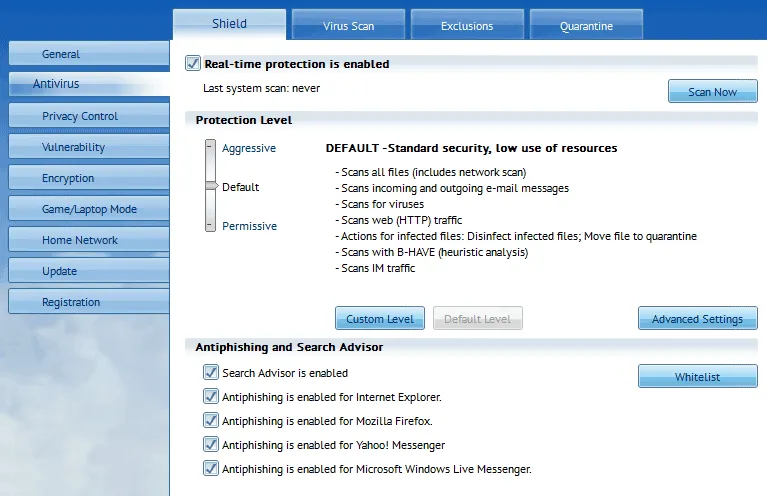
Photo: Auslogics Software Pty Ltd, CC BY-SA 4.0, via Wikimedia Commons
There is a particular kind of irony familiar to anyone who has watched their computer grind to a halt immediately after a security scan completes. The software installed to protect your system has, in that moment, become a more immediate problem than any threat it detected.
This is not a fringe experience. It is, in fact, one of the most consistent complaints reported by Windows users across every demographic — from home users running consumer-grade antivirus to IT professionals managing enterprise endpoint protection. Security software imposes a real and measurable performance cost, and in many configurations, that cost is far higher than it needs to be.
The question worth examining is not whether your antivirus affects performance — it does, without exception — but whether the impact you are experiencing is proportionate to the protection you are actually receiving.
Why Security Software Is Inherently Resource-Intensive
Antivirus and endpoint protection tools work by intercepting system activity in real time. Every file that is opened, every executable that launches, every network connection that is initiated passes through a series of checks. This interception layer, commonly called a kernel-level driver or minifilter driver, operates at a deep level of the operating system and cannot be bypassed without compromising protection.
The performance cost of this architecture is unavoidable in principle. What varies enormously between products — and between configurations of the same product — is how efficiently that interception is implemented and how intelligently the scanning logic is applied.
A well-optimized security tool will cache results for previously scanned files, prioritize scanning based on threat likelihood, and schedule intensive operations for periods of low system activity. A poorly optimized one will re-scan the same trusted files repeatedly, run full system scans during peak usage hours, and consume processor resources even when no meaningful threat activity is occurring.
The Performance Gap Between Security Products
Independent testing organizations including AV-TEST and AV-Comparatives publish regular performance benchmarks alongside their protection ratings. Their data consistently reveals a wide spread in system impact across major products.
Some findings from recent testing cycles are instructive:
- Products from certain vendors impose launch time penalties on common applications that are two to three times greater than those from competitors with comparable protection ratings.
- Full system scan durations vary by a factor of four or more between products tested on identical hardware.
- Background CPU utilization during idle periods — a direct contributor to battery drain and thermal throttling on laptops — differs significantly even among products marketed as lightweight.
The practical implication is that choosing a security product based on protection rating alone, without considering its performance profile, can result in meaningful and unnecessary system degradation. In the US market, where consumers often default to well-known brand names, this tradeoff frequently goes unexamined.
Common Configuration Mistakes That Amplify Performance Problems
Even a reasonably efficient security product can become a performance liability when configured poorly. Several patterns appear repeatedly in support contexts.
Scheduled Scans Running at the Wrong Time
Many antivirus products schedule full system scans to run at installation time or at a default interval that does not account for user behavior. A scan configured to begin at 2:00 PM on weekdays will collide directly with peak productivity hours for most remote workers. Rescheduling full scans to overnight hours or weekends — or to trigger only during verified idle periods — eliminates the most disruptive performance impact without reducing protection.
Exclusions That Are Too Narrow or Nonexistent
Development environments, virtual machine directories, large database files, and backup destinations are all categories of content that antivirus tools will scan aggressively but that represent minimal real-world threat vectors. Adding these locations to the exclusions list reduces scanning overhead substantially. Most enterprise-grade products and many consumer tools support custom exclusions through their settings interface. This is one of the highest-return configuration adjustments available.
Cloud Lookup Features on Slow Connections
Modern security tools increasingly rely on cloud-based reputation lookups to identify threats in real time. On a fast, stable connection, this adds negligible latency. On a congested network or a connection with high latency — common in rural areas of the US and in older apartment buildings — cloud lookups can introduce perceptible delays when opening files or launching applications. Reviewing whether cloud-based features can be selectively disabled or cached more aggressively is worth the time investment.
Multiple Overlapping Security Tools
Running two real-time protection tools simultaneously is one of the most reliably damaging configurations a Windows system can have. Both tools intercept the same system calls, creating redundant processing overhead and, in some cases, conflicts that cause crashes or false positives. Windows Defender, which is included with Windows 10 and 11, is automatically suppressed when a third-party antivirus is installed — but this suppression does not always function correctly after software updates. Verifying that only one real-time protection layer is active is a basic but frequently overlooked step.
Evaluating Whether Your Current Product Is the Right Fit
If you have addressed configuration issues and still find that your security software imposes an unacceptable performance burden, the product itself may be the problem.
For most home users and small business environments in the US, Windows Defender — now marketed as Microsoft Defender Antivirus — provides protection that independent testing rates as competitive with leading third-party products, at a fraction of the system overhead. Microsoft's deep integration with the operating system allows Defender to implement its scanning logic more efficiently than external vendors can.
For users with specific requirements — managed endpoint protection, advanced threat detection, or compliance-driven tooling — third-party products remain relevant. In those cases, comparing performance benchmarks from AV-TEST or AV-Comparatives before committing to a product is a straightforward way to avoid the worst offenders.
Recalibrating the Tradeoff
Security and performance are not fundamentally opposed. The friction between them is largely a product of default configurations designed for average conditions, applied to specific machines and workflows that differ from those averages.
A security tool that slows your system to the point of affecting productivity is not, in any meaningful sense, serving its purpose. Protection that makes productive work impossible creates its own category of risk. The goal is a configuration where your defenses operate in the background without constant intrusion — present when needed, invisible when not.
Achieving that balance requires active management rather than passive acceptance of whatever defaults were set at installation. The steps outlined here are a practical starting point for any Windows user who has concluded, reasonably, that their security software has become part of the problem.