RooterX2 Fix It Fast. Run It Better.

RooterX2

Fix It Fast. Run It Better.

Latest Articles

Why Your SSD Slows Down Over Time — And the Simple Fixes That Restore Full Speed
System Optimization

Why Your SSD Slows Down Over Time — And the Simple Fixes That Restore Full Speed

Your solid-state drive may be significantly faster on paper than it performs in daily use — and heat is usually the silent culprit. Thermal throttling is a built-in protection mechanism that quietly reduces read and write speeds without warning, leaving users convinced their hardware is failing. This guide explains exactly how it works and what you can do to get your SSD running at its rated performance again.

Throwing Money at RAM Won't Fix Your PC — Here's What Actually Will
System Optimization

Throwing Money at RAM Won't Fix Your PC — Here's What Actually Will

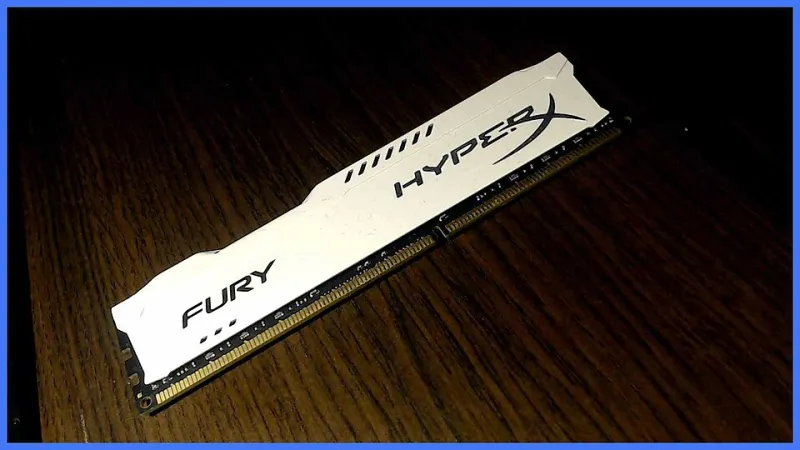
Upgrading RAM is one of the most commonly recommended fixes for a slow computer, but it is also one of the most misunderstood. Before you spend money on more memory, learn how to determine whether RAM is genuinely your system's weak point — or whether the real problem lies somewhere else entirely.

Your Uninstaller Is Lying to You: The Hidden Residue That Keeps Slowing Down Your PC
Troubleshooting

Your Uninstaller Is Lying to You: The Hidden Residue That Keeps Slowing Down Your PC

Clicking 'Uninstall' feels like a clean break, but for most software, it is only the beginning of a longer story. Orphaned files, stranded registry entries, and background services that survive removal continue consuming your system's resources long after the program appears to be gone. Here is how to find them and eliminate them for good.

Why Your Graphics Performance Gets Worse the Longer You Play — And What to Do About It
Troubleshooting

Why Your Graphics Performance Gets Worse the Longer You Play — And What to Do About It

If your frame rates are smooth at the start of a gaming session but degrade progressively over an hour or two, your GPU's onboard memory may not be releasing resources properly. GPU memory leaks are a well-documented but frequently misdiagnosed problem that affects gamers and video professionals alike. Identifying the source and applying the right fix can restore full performance without touching your hardware.

Boot Time Is Stolen Before Windows Even Loads — Here's How to Take It Back
System Optimization

Boot Time Is Stolen Before Windows Even Loads — Here's How to Take It Back

Every application you have ever installed is competing for control the moment you press the power button. Understanding which startup programs are legitimate, which are unnecessary, and which are outright harmful is the first step toward a machine that is ready when you are. A methodical, low-risk cleanup can shave minutes off your boot sequence in a single session.

Security Software vs. System Speed: How to Configure Your Antivirus Without Sacrificing Performance
Troubleshooting

Security Software vs. System Speed: How to Configure Your Antivirus Without Sacrificing Performance

For many Windows users, antivirus software has become a source of frustration that rivals the threats it is meant to prevent. Constant scanning, resource spikes, and sluggish application launches are symptoms of protection tools that are not configured for the machines they run on. This article examines the performance cost of common security solutions and offers concrete steps to restore system speed without leaving your defenses exposed.

Your Laptop's Hidden Power Thieves: Reclaiming Battery Life from Runaway Background Services
System Optimization

Your Laptop's Hidden Power Thieves: Reclaiming Battery Life from Runaway Background Services

Background services running silently on your Windows laptop may be responsible for hours of lost battery life every day. This guide identifies the most common offenders and walks you through a prioritized, safe approach to shutting them down. Whether you are a remote worker, a traveling professional, or simply someone who needs their device to last through the day, these steps can make a measurable difference.

When Trusted Software Becomes a Threat: Recognizing and Recovering from Hijacked Installers
Troubleshooting

When Trusted Software Becomes a Threat: Recognizing and Recovering from Hijacked Installers

Cybercriminals no longer rely solely on obvious phishing schemes — increasingly, they exploit the software you already trust. From bundled installers to convincing fake update prompts, malware and potentially unwanted programs are infiltrating US systems through familiar-looking downloads every day. This article explains exactly how these attacks work and provides a clear recovery path for users who suspect their system has already been compromised.

What's Really Running on Your PC Right Now — And What You Should Shut Down Immediately
System Optimization

What's Really Running on Your PC Right Now — And What You Should Shut Down Immediately

Your computer may feel sluggish not because of aging hardware, but because dozens of silent processes are quietly consuming your CPU and RAM around the clock. This guide walks you through Windows Task Manager with precision, helping you identify the resource hogs worth eliminating — and the critical processes you should never touch.

Post-Update Slowdowns Are Real — Here Is Exactly What Causes Them and How to Recover Fast
Troubleshooting

Post-Update Slowdowns Are Real — Here Is Exactly What Causes Them and How to Recover Fast

Millions of American PC users notice their computers running sluggishly after a Windows or software update — and most assume the update itself is to blame. The reality is more nuanced, and the fixes are often simpler than you might expect. Here is what is actually happening inside your machine, and how to get back to full speed in under 15 minutes.

Registry Tweaks That Actually Work: A No-Nonsense Guide to Speeding Up Windows
System Optimization

Registry Tweaks That Actually Work: A No-Nonsense Guide to Speeding Up Windows

The Windows Registry holds more power over your PC's performance than most users ever realize — but it's also a minefield of bad advice. This guide separates the legitimate, field-tested tweaks from the myths, giving you a clear, safe path to a faster machine.