The $15 Part That Kills $1,000 Machines: Reading the Warning Signs of a Failing Power Supply
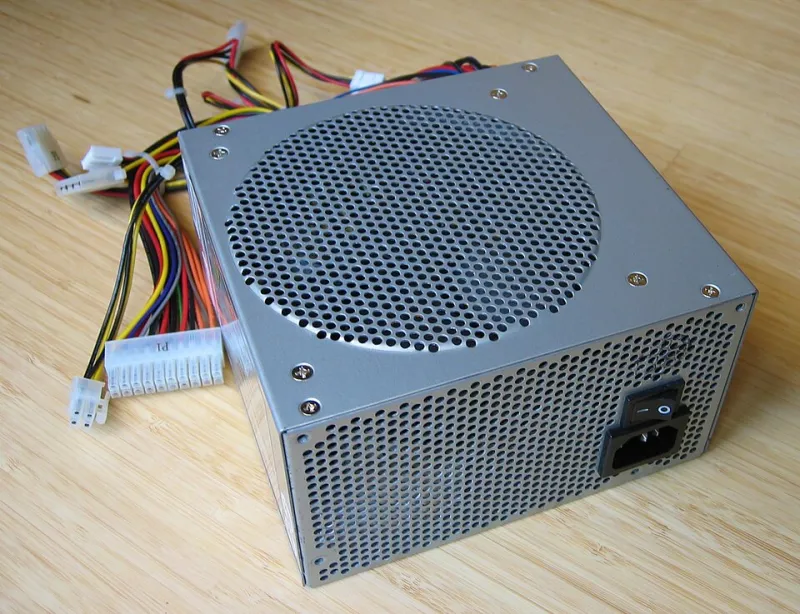
Photo: Hans Haase, CC BY-SA 3.0, via Wikimedia Commons
There is a peculiar blind spot in PC troubleshooting. Enthusiasts will reseat RAM, reinstall Windows, update BIOS, and swap thermal paste before they consider the one component that touches everything: the power supply. A failing PSU does not announce itself with an error message. It produces symptoms that look exactly like software problems, which is why so many people spend a weekend reinstalling an operating system over a $15 fix.
Why the PSU Gets Ignored
Power supplies fail gradually. Capacitors age, output ripple increases, and rails that once held a steady 12 volts begin to sag under load. The system does not blue-screen with a helpful diagnosis; it simply loses stability in ways that mimic bad drivers or overheating. And because the PSU has no monitoring interface reporting its own decline, nothing in Windows ever points at it.
Five Symptoms That Point Downstream at the Wall
1. Crashes under load, calm at idle. The machine browses the web for hours but reboots the moment a game or render job starts. Rising power draw is the trigger, which makes software fixes a coincidence at best.
2. Random full shutdowns with no blue screen. An instant power-off, as if someone pulled the cord, usually means a protection circuit tripped or a rail collapsed entirely. Windows never gets the chance to log anything.
3. USB devices that disconnect and reconnect. A dying 5-volt rail produces voltage droop that flaky peripherals report before anything else does. If several devices act unstable on a healthy board, suspect the source feeding them.
4. Failure to start on the first try. You press power, fans twitch, nothing happens; the second or third attempt works. That hesitation is a PSU struggling to reach stable output during startup.
5. Audible and visible warnings. Coil whine that worsens over months, a faint burning smell, or a fan that no longer spins all warrant immediate attention. So does any PSU that has survived a significant power surge or a decade of use.
Testing Without Guesswork
Two tools settle the question definitively. A basic PSU tester — widely available for $10 to $20 — plugs into the 24-pin and PCIe connectors and displays rail voltages at a glance. Anything outside roughly ±5 percent of nominal (11.4 to 12.6 volts on the 12V rail, for example) is a failing unit.
A multimeter offers a deeper look: with the system under load, probe a spare Molex connector — black lead to a black wire, red lead to a yellow wire for the 12V rail — and watch for sag as the GPU works. Voltages that dip under load while reading fine at idle are the classic signature of aged capacitors.
Always test with the unit disconnected from the wall and grounded yourself first, and never open a PSU casing; internal capacitors hold lethal charge long after unplugging.
The Economics Are Not Close
A quality replacement PSU costs $60 to $120. The components it can damage when it goes — the motherboard, the drives, occasionally the GPU — represent the majority of a system's value. Replacing a marginal unit in an aging machine is not paranoia; it is the cheapest insurance in computing.
Next time a PC behaves inexplicably, resist the instinct to reinstall Windows first. Check the power supply first. It is the component nobody suspects and the one that fails most quietly — and it is almost always checked last, after the expensive damage is already done.